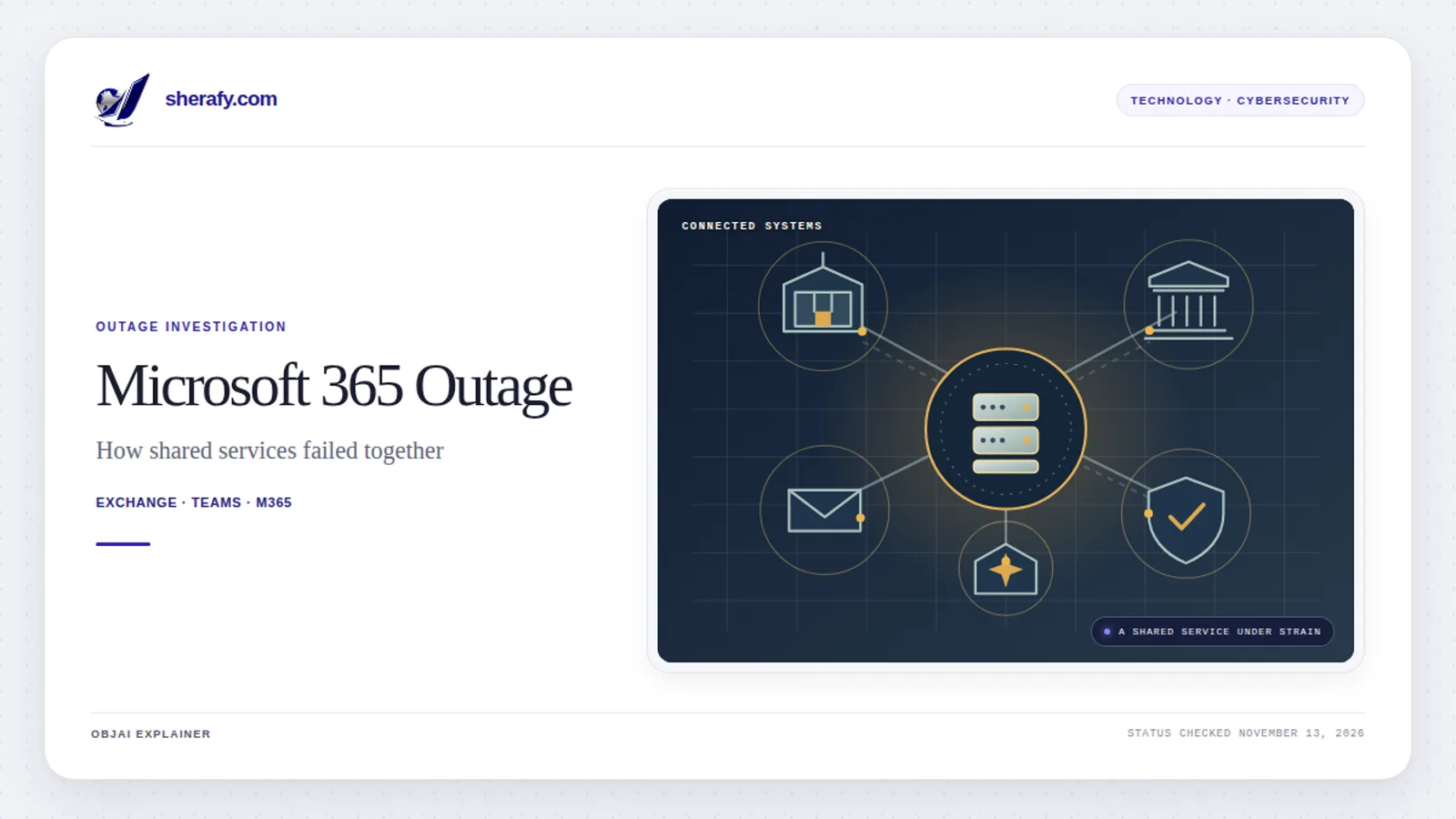
Microsoft's November 12-13, 2026 outage was not simply an Outlook problem. A failure involving Exchange Online infrastructure disrupted email access and delivery, then affected parts of Microsoft Teams, Copilot, security and compliance tools, Microsoft Graph, business applications and services used by public institutions around the world.
In its latest reviewed notices for incidents EX1550543 and MO1550821, preserved in the University of Pennsylvania's Microsoft 365 service-health archive, Microsoft said an issue during an earlier network-capacity upgrade surfaced after a recent network change. Microsoft said it had addressed the underlying issue and was still restoring service to remaining customers and regions. It characterized the event as a technical issue unrelated to cyber activity or AI agents. Earlier updates described unexpected server unavailability, cascading load, and difficulty returning affected servers safely to service.
Microsoft's latest reviewed update provides a high-level cause, but its full technical post-incident report is still pending. The company said the event was not related to cyber activity or AI agents, and that the underlying network-capacity issue had been addressed. Both principal incidents remained marked as service degradation in the latest service-health extract checked below.
The larger issue is why so many seemingly separate functions shared dependencies that could fail together. That question became especially consequential when government communications, court operations, healthcare administration and even connectors used by competing AI companies were affected. And it was not an unforeseen category of risk: governments had documented the dangers of concentrated technology dependencies before the outage.
Status and reporting cutoff: Checked November 13, 2026, at approximately 10:35 a.m. Pacific / 18:35 UTC. The latest Microsoft service-health update in the reviewed University of Pennsylvania archive was posted at 9:57 a.m. Pacific / 17:57 UTC. It said the underlying issue had been addressed and recovery was broadening, but both EX1550543 and MO1550821 still showed service degradation with no end time recorded. The next listed update was due at 12:00 p.m. Pacific / 20:00 UTC. These are time-specific findings, not a live status feed. For later changes, consult Microsoft's current service-status page.
Is Microsoft 365 or Outlook Still Down?
Microsoft said broad recovery and stability had returned across its services, but its main Exchange Online and Microsoft 365 incidents remained open at the 10:35 a.m. Pacific reporting cutoff. The latest notices said the underlying issue had been addressed while restoration continued for remaining customers and regions; intermittent access problems and delayed email delivery could still occur.
The two principal incident identifiers are:
| Microsoft incident | Affected service | Recorded start | Status at reporting cutoff |
|---|---|---|---|
| EX1550543 | Exchange Online mailbox connectivity | Nov. 12, 16:17 UTC / 8:17 a.m. PST | Service degradation; recovering |
| MO1550821 | Exchange-dependent features across Microsoft 365 | Nov. 12, 18:26 UTC / 10:26 a.m. PST | Service degradation; recovering |
These identifiers describe related parts of the disruption. They are not evidence of two separate underlying causes. An incident beginning at 8:17 a.m. also does not mean every Microsoft customer was down from that moment onward.
Associated Press reported that Microsoft was seeing mail queues fall toward normal levels while still warning of intermittent user problems. Outage-report counts from third-party trackers describe submitted problem reports, not a census of unique affected customers or a reliable measure of total downtime.
What Caused the Microsoft Outage?
Microsoft's running explanations show how its account developed. The company said elevated load initially resulted from many servers unexpectedly becoming unavailable, shifting existing requests onto the remaining capacity. In its latest update, it added that an issue introduced during an earlier network-capacity upgrade surfaced after a recent network change. Microsoft said it had addressed the underlying issue, while reserving a fuller explanation for its post-incident report.
The later technical record points to several related elements:
- Unexpected capacity loss. Servers became unavailable and the remaining infrastructure absorbed more connections.
- Failed automated health checks. Affected servers were being removed from service when they failed checks designed to detect unhealthy machines.
- An overwhelmed connection-handling process. Microsoft identified a process responsible for establishing secure connections that could become overwhelmed and leave servers unable to process requests.
- A later network change exposed an earlier issue. Microsoft now says an issue during an earlier network-capacity upgrade surfaced after a recent network change. It has addressed the underlying issue, but the exact technical sequence is still awaiting the full report.
- Difficult, staged recovery. Some servers came back online but stopped responding again when traffic returned. Microsoft used traffic restrictions, routing adjustments, restarts and an authentication/routing component patch, then restored service gradually while checking stability.
The chronological service-health notices support that sequence. They do not yet establish which change, defect or interaction initiated the outage.
How a self-amplifying failure can develop
Consider a simplified example. A cluster with 100 functioning servers loses 40 of them. If traffic remains unchanged, the 60 surviving servers must collectively handle the work previously distributed across 100. If that extra load makes more servers fail health checks, the load on the survivors rises again.
The loop can look like this:
Server failures -> less available capacity -> higher load per surviving server -> further instability -> harder recovery.
That is an illustration of the mechanism consistent with Microsoft's reports, not a confirmed diagram of its internal architecture. The final post-incident report must establish what actually triggered the first failures and why normal protections did not contain them.
Also, an overloaded process establishing secure connections is not evidence that encryption was broken, credentials were stolen or hackers entered Microsoft's infrastructure. Connection availability and connection security are different questions.
Microsoft Outage Timeline: How the Explanation Changed
All times below come from Microsoft's incident entries. UTC is the reference time; Pacific conversions use PST (UTC-8).
| Date and time (Pacific) | UTC | What Microsoft reported |
|---|---|---|
| Thu, Nov. 12, 8:17 a.m. | 16:17 | Recorded beginning of Exchange Online incident EX1550543. |
| 10:26 a.m. | 18:26 | Broader Microsoft 365 incident MO1550821 begins. |
| 11:18 a.m. | 19:18 | Elevated load is attributed to unexpectedly unavailable servers, not higher overall traffic. |
| 11:43 a.m. | 19:43 | Automated health-check failures identified; Microsoft begins testing targeted changes. |
| 12:56 p.m. | 20:56 | Alternative health-check approach brings some servers back; recent configuration changes remain under review. |
| 2:00 p.m. | 22:00 | An overwhelmed core process is identified; Microsoft tests isolating and gradually restoring traffic. |
| 3:59 p.m. | 23:59 | Servers restored to service become unresponsive again when traffic returns. |
| 5:06 p.m. | Fri 01:06 | The overloaded secure-connection process is described; Microsoft begins reverting a correlated network configuration change. |
| 11:25 p.m. | 07:25 | A patch to an upstream authentication/routing component shows improved stability on tested infrastructure. |
| Fri, Nov. 13, 6:01 a.m. | 14:01 | Microsoft says email queues have fallen substantially and are approaching normal levels. |
| 7:53 a.m. | 15:53 | Microsoft reports sustained improvement but continues addressing residual connectivity and mail-flow problems. |
| 9:57 a.m. | 17:57 | Microsoft says an issue from an earlier network-capacity upgrade surfaced after a recent network change; the underlying issue is addressed, broad recovery is underway, and the event was not related to cyber activity or AI agents. The incidents remain open. |
Why the chronology matters: Early statements about high load could suggest a traffic surge. Microsoft's subsequent correction instead described disappearing capacity. Later notices show that treating the symptom by restarting servers was insufficient: some became unstable as soon as traffic returned. The final explanation must account for that sequence, not merely name a failed component.
Why Did Outlook's Failure Spread to Teams, Copilot, Security Tools and Other Services?
An application can appear separate to the person using it while relying on shared systems behind the scenes. Microsoft 365 services can depend on Exchange Online data, Microsoft Graph requests, common authentication or routing components, and shared administrative and compliance functions.
Microsoft explicitly distinguished Exchange-dependent scenarios from functions that did not require Exchange and continued working. Its detailed notices described the following potential impacts:
| Service | Documented affected functions | What remained functional or unproven |
|---|---|---|
| Outlook / Exchange Online | Mailbox access through web, desktop, mobile and APIs; delayed mail delivery | No evidence that all customer mailboxes suffered permanent data loss |
| Microsoft Teams | Calendars, invitations, meeting scheduling, selected channels and connected functions | Core chat, ordinary channel messages, calls and joining meetings were largely functional |
| Microsoft 365 Copilot | Some chat responses and retrieval of email, calendar or other work data | Not proof that every Copilot capability failed |
| SharePoint Online | Some external sharing and Exchange-dependent functions | Direct access to files stored in SharePoint remained functional |
| Microsoft Graph | Requests for Exchange-related mail, calendars and contacts, affecting connected apps | Not a universal failure of every Graph API |
| Defender / Purview | Security portals, Safe Links, quarantine operations, policy evaluation, DLP-related functions and audit or eDiscovery access | The precise enforcement and data-integrity consequences vary by feature and remain incompletely established |
| Intune / Planner / Power Apps | Some enrollment, compliance, task operations, flows, connectors and mobile app sign-ins | Not every tenant or action was affected |
| Windows 365 / Fabric | Specific Customer Key Cloud PC sign-ins and sensitivity-label-dependent reporting operations | Conditional impact, not evidence of universal platform outages |
This table describes potentially impacted functions named by Microsoft, not confirmed failure for every tenant in every region. The full component-by-component wording appears in Microsoft's MO1550821 service-health record.
The overlooked example: A field-service app whose sign-in depended on Exchange
A separate Dynamics 365 Field Service advisory, CR1551339, identified Exchange as an upstream service dependency supporting authorization of new mobile sessions. Some users encountered sign-in failures even though the task they were performing was not reading email. Already signed-in sessions could continue working until their cached tokens expired.
Another notice, PP1550869, traced intermittent Power Platform flows, apps and connector failures to an upstream dependency affecting Microsoft Graph calls. Microsoft subsequently marked that advisory restored, with a preliminary explanation involving an unavailable authentication dependency.
This is a more precise description of the event than saying that all of Microsoft was down. It demonstrates dependency propagation: a failure in one service can interfere with a different workflow that silently relies on it.
Redundant servers and data centers do not automatically eliminate this risk. If healthy regions or applications depend on the same faulty configuration, authentication decision or routing layer, an otherwise redundant system can experience a common-mode failure. The underlying principle is similar to the one examined in our investigation of California 911 outages, cable damage and backup failures: two apparent fallback paths may not be independent if they share a critical dependency. The incidents and causes are different, but the resilience question is comparable.
Did Microsoft Lose Emails? What Happened to Delayed Outlook Messages?
A delayed email is not the same as a lost email. The distinction matters because businesses may resend urgent messages, customers may miss one-time codes, and administrators may confuse temporary delivery errors with permanent failures.
We have unusually useful first-party measurements from SparkPost's incident log for mail sent to Microsoft addresses. SparkPost reported temporary SMTP errors from Microsoft's receiving systems, including 421 and 451 responses. At the worst point, more than nine in ten of SparkPost's attempts to Microsoft addresses were being deferred. That is a measurement of one provider's delivery attempts, not 90% of all Microsoft emails or users.
SparkPost's later updates show the progression:
| Observation | SparkPost's reported experience |
|---|---|
| Worst observed point | More than 90% of its Microsoft-directed attempts temporarily deferred |
| About 04:45 UTC, Nov. 13 | Approximately 75% still deferred |
| Later in recovery | Approximately 30% still deferred at one checkpoint |
| By 14:35 UTC, Nov. 13 | Delivery had returned to normal rates on SparkPost's network |
| After recovery | Older queued messages were still being retried; short-lived messages could already have expired |
The snapshot shows that most temporarily rejected messages could be retained and retried rather than disappearing, but the result depends on how the sending system is configured.
Microsoft also extended an email timeout window to 48 hours while reducing its backlogs. That is a Microsoft recovery measure, not a guarantee that every external email provider will queue messages for 48 hours.
How to tell whether an email was delayed, delivered or permanently rejected
| Status | Meaning | What to do |
|---|---|---|
| Deferred / temporary failure | Receiving system asked the sender to try again | Allow the sending service's normal retry process to run |
| Pending / queued | Sending system has not completed delivery | Check the sender's event log or ask the sender's mail administrator |
| Delivered / accepted | Receiving service accepted or delivered it according to available trace records | Check inbox, junk, rules and quarantine before assuming it vanished |
| Bounced / expired | Delivery failed permanently or the retry window expired | Investigate the failure and resend only if needed |
For Exchange Online organizations, administrators can use Microsoft's message trace feature to examine whether a message was received, rejected, deferred or delivered by the service. During the outage, message-tracing and related security tools themselves were among the potentially degraded functions, so trace availability may have lagged.
Do not mass-resend messages that remain queued. SparkPost specifically warned that this could create duplicates. An exception is a message that has genuinely expired and generated a bounce, such as a short-lived login code or other time-sensitive communication. Confirm the status before resending.
Were Microsoft Defender and Purview Security Protections Affected?
Yes. Microsoft's own notices identify disruptions affecting security and compliance functions, including more than just dashboard access. This is one of the most consequential aspects of the incident and one that needs careful wording.
The documented effects include:
- Defender for Office 365: Safe Links processing problems, limited access to Safe Attachments and policy features, quarantine and investigation failures, and delays to reporting or remediation functions.
- Defender XDR: Some portal pages and investigation views were inaccessible.
- Microsoft Purview: Data Loss Prevention (DLP), sensitivity-label and information-protection functions, authorization, audit searches, eDiscovery and data-classification operations were affected.
- Policy-related functions: Microsoft specifically warned that certain Defender experiences reliant on Purview DLP or information-protection signals might experience delays or failures in policy evaluation and governance-action enforcement.
For Safe Links, Microsoft's earlier detailed notice said users clicking some rewritten URLs could fail to navigate because the service could not process them. That is a specific fail-to-open behavior, not proof that harmful links were simply passed through unchecked. The separate policy-evaluation warning must nevertheless be taken seriously. Both details appear in Microsoft's incident disclosures.
Four different questions must not be collapsed into one:
| Question | What the record establishes |
|---|---|
| Could security staff access their tools? | Some could not. Portal, investigation and administration functions were disrupted. |
| Could certain policy actions be delayed or fail? | Microsoft explicitly warned that some policy-evaluation and governance actions might be affected. |
| Was sensitive information stolen or exposed? | No verified exfiltration has been established by the reviewed incident reports. |
| Were audit events permanently lost? | Not established; Microsoft has not yet provided a complete account of log integrity for the incident. |
Organizations should verify their own DLP policy behavior, audit-event completeness and emergency workarounds after service restoration. The public record is sufficient to describe a security and compliance operations disruption. It is not sufficient to declare a general data breach or to claim every protection failed open.
Which Governments, Hospitals and Courts Were Affected?
This outage crossed the boundary between office inconvenience and public-service disruption. The most useful evidence comes from institutions describing what actually stopped working, together with what continued.
Hospitals: Communication interruptions, not proof that patient care stopped
Unity Health Toronto declared a Code Grey when its staff had difficulty sending and receiving email. It directed people with urgent appointment questions to use telephone contact. Crucially, the hospital said patient and resident care were not affected and its facilities remained open.
This is a real operational interruption, but it is not evidence of a hospital-wide clinical shutdown. We should be equally precise about other healthcare institutions.
Courts: Electronic submissions and deadlines become a concern
The Court of King's Bench of Alberta warned that email problems could delay the receipt and processing of electronic materials. It noted possible consequences for filing deadlines and provided an in-person route for urgent applications.
The Court of Appeal of Alberta also reported disrupted Registry communications and delayed notification emails generated by its filing system, while clarifying that documents could still be submitted through that system.
Neither notice establishes that a particular litigant missed a deadline or lost a legal right. They establish a procedural risk that institutions had to manage. We examined a related distinction between system security, availability and time-sensitive public records in our investigation of the 2026 FEC filing outage. The incidents should not be treated as causally related.
Associated Press additionally reported that a trial in Manchester, England, was interrupted and jurors were sent home, while some British police forces redirected urgent reporting to telephone channels because online crime reports were affected.
Government, airlines and critical public information
Australia's Bureau of Meteorology said email contact was disrupted, but forecasts and warnings continued operating. That is an important distinction: an institution can lose a communication channel without losing its core public-safety function.
Associated Press reported effects on government operations or communications in Singapore, Japan, Norway and other countries. Air India and IndiGo reported customer-support email problems while saying flight operations continued. These accounts show wide operational reach, but they should not be converted into an unsupported figure for people, businesses or critical services that were fully offline.
Even AI competitors depended on Microsoft's services
OpenAI's public status report identified degraded Microsoft 365 connector functionality. Anthropic's status feed separately reported problems with its Microsoft 365 connector and Claude for Outlook.
Those were Microsoft-integration problems, not evidence that the underlying ChatGPT or Claude models universally stopped working. They illustrate a deeper point: competing AI products can depend on the same third-party services when acting on a user's mail, calendar or files.
Has Microsoft Had Similar Outages Before?
Yes, and the comparison is relevant. A review of Microsoft's incident records identifies at least two earlier 2026 events in which problems associated with shared infrastructure or authentication affected multiple Microsoft 365 services.
| Incident | Reported mechanism | What it establishes |
|---|---|---|
| Jan. 22-23, 2026 (MO1221364) | Reduced capacity during maintenance on North American infrastructure produced elevated load and traffic-balancing problems | Exchange, Defender and other functions could fail together when shared capacity was constrained |
| Aug. 31-Sept. 3, 2026 (EX1464935 / MO1465074) | A problem in a core authentication/access configuration used by multiple Microsoft 365 services | An authentication-layer issue could propagate well beyond a single application |
| Nov. 12-13, 2026 (EX1550543 / MO1550821) | Unavailable servers, overloaded connection establishment and a correlated network configuration change under investigation | Another cross-service disruption, with the final initiating cause still unknown |
The January incident notice preserved by Queen's University contains Microsoft's preliminary explanation. The August Exchange incident archive and related Microsoft 365 archive preserve its authentication-related findings and subsequent recovery reports.
These are not proof that Microsoft repeated the exact same mistake three times. Similar symptoms can have different causes. Microsoft has now described the November event as an earlier capacity-upgrade issue resurfacing after a later network change. The sharper accountability question is what safeguards were added after the January and August events, how they were tested, and whether they addressed the conditions that appeared in November.
For the August incident, Microsoft said it was evaluating core authentication configurations and monitoring to prevent similar failures. That commitment gives investigators a specific question to revisit when November's final post-incident review becomes available.
Governments Warned About the Risk Before the November Outage
Here is where the incident becomes a story about critical infrastructure rather than only a large software outage.
On November 2, 2026, just 10 days before the failure began, Australia's Critical Infrastructure Security Centre released its 2026 Critical Infrastructure Annual Risk Review. Its discussion of concentrated third-party dependencies warned that shared reliance on a small number of providers can produce cascading cross-sector consequences. The report was not predicting this exact Microsoft event. It was identifying the failure category that the event would later illustrate.
There was another unusually direct warning. The Australian Digital Transformation Agency's review of whole-of-government single-seller arrangements assessed single-seller vulnerability as rare in likelihood but potentially catastrophic in impact, resulting in a medium overall risk rating under its methodology. The review did not recommend simply abandoning all major-vendor agreements; it recognized procurement benefits and the high practical cost of switching providers.
ABC News reported that Australian Home Affairs official Hamish Hansford had warned in August about the disproportionate effect of a Microsoft disruption. The broadcaster also reported that Australia had conducted a relevant resilience exercise with Microsoft and government agencies shortly before the November outage.
The concern, then, was neither new nor dependent on hindsight.
Australia activated a Microsoft recovery agreement. What did it actually promise?
In June 2026, Australia and Microsoft signed a Digital Resilience Memorandum of Understanding. On November 13, ABC reported that Home Affairs Minister Tony Burke said a relevant provision had been activated to obtain appropriate attention to Australian recovery needs.
The underlying agreement is more informative than a headline about a secret government deal:
- Section 1.2 calls it a non-binding framework for cooperation.
- Section 2.5 says the parties will work together to prioritize recovery of Australia's digital economy from significant Microsoft technology outages.
- Section 4.1 says the memorandum is not intended to grant exclusivity or preference or limit Australia's relationships with other providers.
- Section 5.1 covers confidential treatment of certain nonpublic information exchanged under the agreement.
These terms are not proof that Microsoft secretly placed Australian users ahead of other countries. The non-exclusivity clause is principally about the government's freedom to work with other technology partners; it does not, on its own, settle how scarce recovery capacity would be allocated. Nor does the agreement publicly disclose the practical steps taken during this outage.
The legitimate questions are narrower and harder to answer: What did activation change? What assistance, information or recovery coordination did Australia receive? Were life-safety services prioritized, and according to what published criteria? Could governments without comparable arrangements expect the same treatment?
There is no evidence in the records reviewed that the agreement caused the outage or that recovery order was manipulated for improper purposes. There is, however, documented reason to demand transparency about what a government-vendor resilience commitment delivers during an actual crisis.
Was the Microsoft Outage a Cyberattack, Sabotage or Data Breach?
No evidence reviewed establishes any of those explanations. Microsoft's latest incident notice characterized the event as a technical issue not related to cyber activity or AI agents. It said the underlying network-capacity issue had been addressed and promised a post-incident report with further detail.
The documented server-capacity and configuration problems make an operational or software-related failure the strongest working explanation. But until Microsoft completes its investigation, even that is a description of the observed failure mechanism rather than a fully proven initiating cause.
A cyberattack hypothesis would require evidence such as confirmed malicious commands, unauthorized access, forensic indicators, or a substantiated finding by investigators. None has been publicly established in the records reviewed for this incident.
Likewise, degraded security tools do not automatically mean customer data was stolen. The important remaining issue is whether enforcement or logging failures created measurable exposure for specific customers. Microsoft has not yet published a comprehensive answer.
What Should Affected Users, Administrators and Businesses Do?
For individuals: Check Outlook and your mobile client again as services recover, but avoid repeatedly resetting passwords merely because the service is degraded. For urgent communication, use a verified alternative channel. If a message appears missing, ask whether the sender received a delivery confirmation, delay or bounce.
For email administrators: Review Exchange Online message traces, mail queues, temporary SMTP failures and delayed-message backlogs. Distinguish Microsoft-received messages from mail still waiting at an external sender. Investigate individual bounces before resending. Check for duplicated messages created by manual retries.
For security and compliance teams: Validate Safe Links and relevant Defender functions, DLP policies, sensitivity-label behaviors, audit-event availability and any emergency exceptions made during the incident. Document any enforcement failures you can actually observe. Do not assume that an inaccessible portal proves every underlying control was disabled, or assume that all controls were unaffected.
For organizations with deadlines or essential workflows: Preserve timestamps, error messages and alternate-channel records. Confirm receipt of court filings, transactions, customer notices and other time-sensitive communications directly with the recipient institution. Its own deadline or continuity rules govern any remedy.
Can Microsoft 365 customers claim compensation or service credits?
Possibly, but not automatically. The relevant agreement, purchasing channel, affected service and documented downtime determine eligibility. A widespread outage does not mean every subscription qualifies for a full refund or for compensation covering lost revenue.
In its Cloud Solution Provider service-credit guidance, Microsoft explains that credits generally apply to the affected service and duration rather than automatically covering an entire suite. For the CSP claims process, non-Azure service claims generally must be filed within one month after the end of the billing month in which the incident occurred. Other purchasing arrangements may have different claim procedures or conditions.
Record the incident IDs EX1550543 and MO1550821, affected users and functions, time periods, support interactions and business evidence. Review the applicable Microsoft Online Services SLA before calculating or requesting any credit.
What Microsoft Still Needs to Explain
A full post-incident review should provide answers to questions that the outage notices cannot settle:
- The technical trigger: What exact issue from the earlier network-capacity upgrade resurfaced after the recent network change, and why did it make servers unavailable?
- The safety checks: Why did automated health checks remove so much capacity, and what prevented rapid isolation?
- The recovery behavior: Why did some servers fail again when traffic returned, and why were some configurations difficult to synchronize?
- The shared dependencies: Which common components allowed Exchange-related problems to affect authentication, Graph requests, security tools and unrelated business workflows?
- The previous incidents: Which January and August 2026 remediation commitments were completed before November, and how were they tested?
- Security and compliance: Which policy-enforcement operations failed or were delayed, were audit records complete, and can customers verify whether their protections remained effective?
- Email and commercial impact: How many messages were delayed or ultimately expired, what was the actual regional disruption, and how should customers document claims?
- Continuity priorities: Which criteria guided recovery across regions and critical-service customers, and what did formal government resilience agreements change in practice?
Until those records are available, precise figures for global customer impact, total economic damage, data loss or malicious involvement should be treated as unknown, not filled in with speculation.
Frequently Asked Questions
When did the November 2026 Microsoft outage begin?
Microsoft's Exchange Online incident EX1550543 lists a start time of 16:17 UTC on November 12, 2026, equivalent to 8:17 a.m. Pacific. The wider Microsoft 365 incident MO1550821 lists 18:26 UTC, or 10:26 a.m. Pacific.
Is Outlook fixed now?
At the article's November 13, approximately 10:35 a.m. Pacific reporting cutoff, Microsoft reported broad recovery but had not marked its main Exchange and Microsoft 365 incidents fully resolved. The answer may have changed since then. Consult Microsoft's current service-status page.
Will emails sent during the outage arrive?
Many temporarily deferred messages should arrive when the sender's mail server successfully retries delivery. Some messages with short expiration windows may have permanently bounced. Check message status rather than assuming every delayed email is lost or guaranteed to arrive.
Should I resend an Outlook email that did not arrive?
Not automatically. If the sender's provider still has it queued, resending can create a duplicate. If the message expired or bounced, a carefully verified resend may be appropriate.
Was Microsoft Teams completely down?
No. Microsoft described failures involving Teams calendars, scheduling and certain connected functions, while most core chats, calls and meetings remained functional.
Was Microsoft Azure entirely down?
The reviewed incident records establish a Microsoft 365 and Exchange-centered disruption affecting multiple dependent services. They do not substantiate a claim that all Azure products or every Microsoft cloud region went offline.
Did hackers cause the Microsoft outage?
Microsoft characterized the incident as a technical issue unrelated to cyber activity or AI agents. A cyberattack or sabotage explanation is not supported by the available findings.
Were Microsoft Defender security controls bypassed?
Microsoft documented problems with security tools and warned of possible delays or failures in certain policy evaluations and governance actions. That is a genuine operational concern, but a universal bypass or confirmed breach has not been established.
Can customers get a Microsoft 365 outage refund?
Some organizations may qualify for contractual service credits if they can document qualifying downtime under their applicable agreement. Eligibility, calculation and claim deadlines vary. A service credit is not the same as automatic compensation for business interruption.
The Larger Lesson: A Single Vendor Can Be Several Hidden Dependencies
The November outage did not have to disable every Microsoft product to expose a systemic problem. It was enough for important business functions to share critical dependencies that were neither obvious to users nor easy to replace during a crisis.
A hospital could continue treating patients while losing email contact. A court could keep its filing platform available while its notifications were delayed. An AI company could keep its models running while Microsoft-connected tools failed. An organization's security console could become unreachable at the same moment staff needed to investigate what was happening.
The central accountability question is not why a technology system ever fails. It is whether essential services are designed to keep functioning when a shared dependency does.
Microsoft's incident reports will eventually explain what failed inside its systems. The harder question belongs to every organization that discovered how much depended on those systems in the first place.
References and Further Reading
Original Microsoft Incident Records and Technical Guidance
- Microsoft's Exchange Online and Microsoft 365 service-health notices, EX1550543 and MO1550821 – University of Pennsylvania's automatically maintained mirror of Microsoft administrative advisories. Provides the technical sequence, service-specific impacts, recovery updates and incident identifiers. This is a rolling archive; historic entries may move as older incidents leave the 30-day window.
- Microsoft 365 public service-status page – Current operational status, which may supersede the dated status snapshot in this article.
- Exchange Online message-trace documentation – Microsoft guidance for identifying received, delivered, deferred and rejected messages.
- Microsoft Cloud Solution Provider service-credit policy – Eligibility and documentation rules for SLA credit claims through the CSP process.
- Microsoft Online Services SLA library – Current and historical contractual service-level documents, including the October 2026 edition.
Independent Delivery Data and Prior Incidents
- SparkPost's November 2026 Microsoft mail-delivery incident – First-party SMTP deferral observations, automatic retries, message expiration warnings and documented recovery. Use the November 12-13 incident in the provider's history, rather than its current dashboard status alone.
- January 2026 Microsoft 365 disruption, MO1221364 – Queen's University archival notice reproducing Microsoft's explanation of reduced capacity and service impacts.
- August 2026 Exchange Online incident, EX1464935 – Archived Microsoft status updates describing a shared authentication configuration issue and recovery.
- August 2026 Microsoft 365 incident, MO1465074 – Companion record of the broader August service impact and Microsoft's announced follow-up work.
Government, Court and Healthcare Records
- Australian Critical Infrastructure Annual Risk Review, Fourth Edition, November 2026 – Official report describing cross-sector risks from concentrated technology and third-party dependencies, especially its discussion of CI4.
- Australian Digital Transformation Agency: Single-seller arrangement risks – Government-commissioned assessment of supplier concentration, commercial lock-in and low-likelihood/high-impact disruption risk.
- Australia-Microsoft Memorandum of Understanding on Digital Resilience – Original agreement. Sections 1.2, 2.5, 4.1 and 5.1 are relevant to its non-binding nature, recovery commitments, non-exclusivity and confidentiality terms.
- Court of King's Bench of Alberta: Microsoft service disruption notice – Court-issued warning about delayed communications and electronically submitted materials.
- Court of Appeal of Alberta: Microsoft email disruption – Confirmation of delayed court notifications and continued availability of its submission platform.
- Unity Health Toronto: Global Microsoft 365 outage notice – Original Code Grey notice and explicit statement that patient care continued.
- Australian Bureau of Meteorology: Microsoft services outage – Direct statement distinguishing unavailable email communications from unaffected forecasts and warnings.
Independent Reporting and Downstream Service Confirmation
- ABC News: Australia's pre-existing warnings about Microsoft dependence – Original reporting on earlier official warnings, government contracts, resilience exercises and activation of the Microsoft agreement.
- Associated Press: Global Microsoft outage and effects on public services – Independent reporting on international institutions, governments, courts, police, airlines and recovery developments.
- OpenAI: Microsoft 365 connector incident – Direct confirmation of problems with Microsoft-connected tools.
- Anthropic's service-status incident history – Direct confirmation of Microsoft 365 connector and Claude for Outlook disruptions.