The short answer: A successfully authenticated Apple Reference Image provides strong cryptographic evidence that a compatible iPhone camera sensor captured the underlying image data and that the developed reference has not been modified without detection. It does not independently prove that the depicted event happened as described, that the scene was unstaged, or that the photograph was taken at an exact second. Nor does Apple’s public-facing anonymity design mean that Apple receives no device-linked information.
That distinction matters because Apple Reference Image is a substantial advance in photographic provenance, not an all-purpose truth detector. Apple’s technical security explanation describes sensor-level signing, secure time bounds, Private Cloud Compute, and revocable authentication. Its separate privacy disclosure confirms that sensor identifiers and photo-related records are transmitted to Apple services. And Apple Support warns that sharing an undeveloped reference can expose a device serial number and the full image frame, even when the photographer used zoom.
These documents do not establish a hidden surveillance program or a demonstrated security flaw. They establish different boundaries for what the camera proves, what Apple processes, and what a recipient may learn.
Executive Finding: What a Verified iPhone Photo Proves
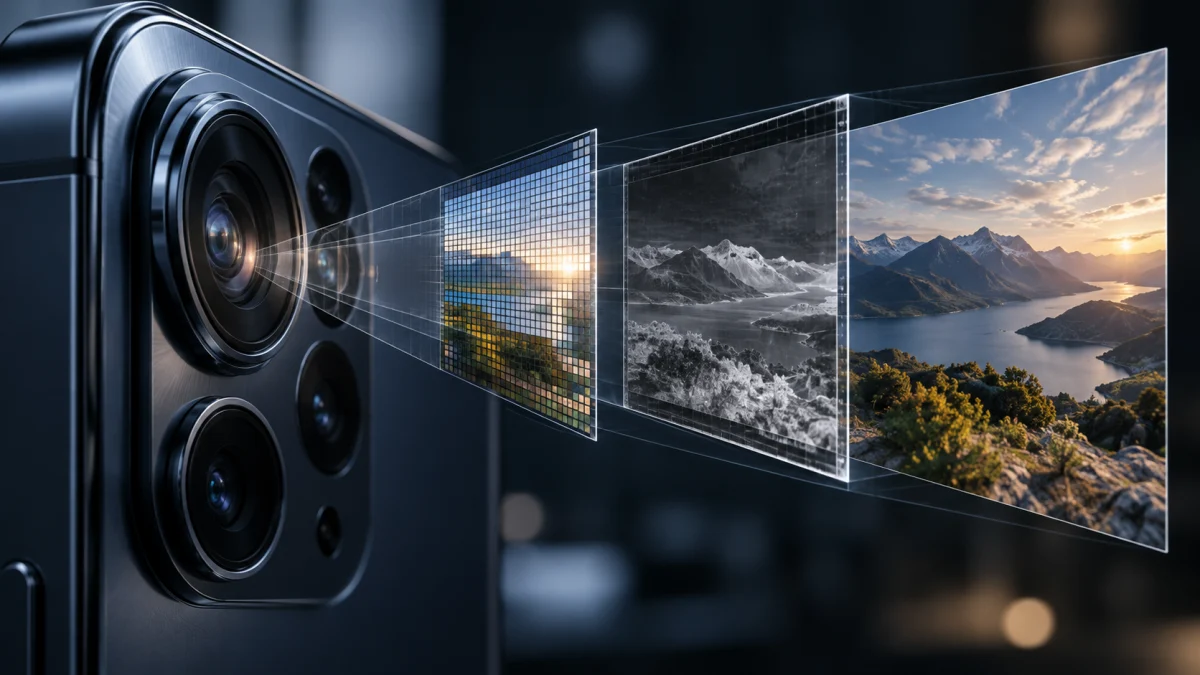
Apple introduced Reference Image with the iPhone 18 Pro and iPhone 18 Pro Max in September 2026. In its opt-in Reference mode, the Main camera sensor cryptographically signs captured data before the ordinary photo-processing pipeline transforms it. Apple subsequently develops an authenticated reference that can be compared with the normal, editable photograph.
The resulting evidence is valuable, but its scope is specific:
| Question | Assessment | What the evidence actually establishes |
|---|---|---|
| Did a compatible iPhone sensor capture the source data? | Strong evidence, if authentication succeeds | Apple’s system checks signed sensor data, device pairing, and other authenticity conditions. |
| Has the developed reference JPEG been altered? | Cryptographically tamper-evident | Modification should invalidate the authenticated reference’s signature, subject to the system’s security assumptions. |
| Is the ordinary edited photo identical to the reference? | Requires comparison | The normal photo is a separate asset. Edits must be assessed against the reference rather than presumed absent. |
| Did the alleged real-world event happen? | Not established | A genuine camera can record a staged scene or photograph an image on a screen. |
| Is the precise capture second proven? | Not necessarily | Apple authenticates a time interval with a lower and upper bound, not always a narrow instant. |
| Is the claimed location verified? | Not by the sensor signature alone | The system does not independently corroborate the geographic or narrative claims attached to the scene. |
| Can the public identify the specific phone from the reference signature? | Designed to prevent that | Apple signs the developed reference without publishing a per-sensor identity through that signature. Other shared metadata may still disclose clues. |
| Does Apple receive information linked to the sensor? | Yes | Apple describes receiving hardware identifiers, hashes, photo identifiers, and authentication-assessment data. |
Assessment methodology: The first, second, third, and final rows summarize Apple’s documented architecture and disclosures. The limits on event truth and location are forensic inferences about what sensor authentication can logically establish; they are not claims that Apple’s cryptography has been broken.
The best way to understand Reference Image is as a new, stronger answer to "Did this camera capture these pixels?" It is not a complete answer to "Is everything said about this photograph true?"
How Apple Reference Image Works: From Sensor to Signed Photo
The technical design matters because an ordinary photograph typically becomes an image file only after multiple processing steps. A signature attached at the end of that process can verify the resulting file’s integrity without necessarily proving where the pixels originated. Apple is attempting to close that gap.
1. The camera sensor signs its own captured data
According to Apple Security Research, a supported sensor generates an ECDSA P-256 signing key during manufacturing. Its private key remains inside the sensor; its public key is certified and associated with the phone’s hardware manifest. Apple’s Secure Enclave has a separate attested identity, allowing the system to check that the sensor and Secure Enclave belong to the same device.
When the user selects Reference mode, the sensor enters a specialized secure capture state. It signs the digitized pixel data and embedded sensor metadata before ordinary iOS processing. The Secure Enclave signs a commitment covering the sensor signature and certain additional metadata originating outside the sensor, including camera settings.
The objective is to make it harder for compromised device software or injected image data to masquerade as an authentic sensor capture. That is Apple’s described security design, not a claim of independent penetration testing performed for this article.
2. The iPhone creates a secure digital negative
The signed image data, metadata, cryptographic time bounds, signatures, and device attestations are assembled into a DNG-format secure digital negative. The phone also produces a regular photograph through its conventional camera pipeline.
The two assets have different purposes. The ordinary photograph is convenient to view and edit. The digital negative preserves the data needed to develop a reference through Apple’s verification system. Simply taking the picture does not itself mean Apple has developed or publicly authenticated the reference; development is a later user-initiated step.
3. Private Cloud Compute develops the reference
When the user chooses to develop the image in Photos, the device uploads the secure digital negative to Apple’s Private Cloud Compute (PCC) environment. PCC checks the signature chains and the asserted pairing of the sensor and Secure Enclave, assesses the secure timestamps, and evaluates whether the data exhibits expected camera-sensor characteristics.
Apple describes a neural-network confidence assessment using hidden model weights. The public documentation explains its function but does not provide an independent, reproducible error-rate study showing how frequently it accepts or rejects unusual images.
If the checks pass, PCC develops the raw data into a viewable JPEG. Apple’s signing service applies a final composite signature using RSA-3072 and ML-DSA-87, combining conventional and post-quantum cryptography. Apple describes the resulting reference as protected against undetected modification. More precisely, its authenticity is tamper-evident under the verification system: someone can alter image bytes, but an altered file should no longer validate as the same authenticated reference.
Apple states that PCC uses attested software builds recorded in a transparency log and is architected so that Apple cannot inspect the raw photograph during processing. Those are important privacy protections, discussed separately below.
4. Viewing the image includes a revocation check
On a supported Apple device, viewing a developed reference triggers verification of the final signature and a check against periodically updated revocation information. Apple can revoke individual reference images or authentication associated with a sensor found to be compromised. This means a reference previously accepted by the system may later cease to be considered valid.
Apple also says that after successful development, the original secure digital negative is moved to the Recently Deleted area, from which it can be recovered or removed immediately; otherwise it is automatically purged after 30 days. That behavior is relevant to evidence preservation. A newsroom or investigator who needs to retain original capture material should establish a deliberate retention and chain-of-custody process rather than assume the DNG remains indefinitely available in the main photo library.
Can a Verified Apple Photo Be Fake or Misleading?
Yes, in the ordinary meaning of "fake" or "misleading" — even if its cryptographic authentication is valid. That does not mean the Apple signature was forged. It means that authentic sensor capture and truthful interpretation are separate questions.
Consider three scenarios.
A staged incident. A photographer arranges a scene to resemble an event that did not occur naturally. The camera captures the staged scene correctly. The resulting reference can still be authentic evidence of what the sensor saw; it does not prove the scene was spontaneous.
A screen displaying synthetic content. A photographer points an iPhone at a monitor showing an AI-generated image. The camera captures real light emitted by a physical display. A valid signature could authenticate that capture without establishing whether the image on the display originated from a real event. This is a logical limitation of camera-origin proof, not a demonstrated exploit against Reference Image.
A genuine photo with a false caption. A verified image from one location is shared as evidence of a different place, date, or incident. Its pixels may be genuine, while the attached claim is false. Similarly, a selective crop may omit context essential to interpreting the photograph.
This distinction is central to the C2PA technical specification, which separates validation of provenance assertions from judgments about whether those assertions make the content true or trustworthy. It also matches established verification practice: Bellingcat’s guide to verifying social-media images emphasizes source identification, geographic corroboration, chronology, and context.
The practical rule is straightforward: a cryptographically verified image is stronger evidence than an unsupported image of comparable origin, but it cannot authenticate the entire story surrounding the photograph.
Does Apple Reference Image Prove When a Photo Was Taken?
It can establish a cryptographically supported time window, but describing every reference as proof of an exact capture time would overstate the record.
Apple’s security architecture description explains that the phone periodically receives a signed timestamp token through a process associated with Apple Push Notification service heartbeats. These tokens arrive globally about every 15 minutes on average, although the interval varies with network conditions. The most recent valid token acts as the lower bound: the picture was not taken before that token’s time.
After capture, the device requests another signed timestamp associated with the photographed data, establishing an upper bound: the photograph existed no later than that time. If the phone is offline, it continues trying to obtain the upper-bound token later.
For example, imagine a hypothetical reference with a valid lower bound of 2:45 p.m. and upper bound of 3:03 p.m. It supports a capture time somewhere within that 18-minute interval. It does not independently prove that the shutter was pressed at 3:00:00 p.m. These times are illustrative, not observations from an Apple device tested by sherafy.com.
The little-noticed timestamp fallback
Apple documents an important exception. During PCC development:
- If the lower-bound token is invalid, PCC substitutes March 31, 2026.
- If the upper-bound token is missing or invalid, PCC substitutes the time the reference is developed in PCC.
These rules allow authentication to proceed despite missing or invalid time evidence, but may yield an extremely broad interval. If a secure negative remains undeveloped for days after capture and lacks a usable upper bound, development time may serve as the upper limit. If the lower-bound token is also invalid, the lower limit can fall all the way back to March 31, 2026.
That does not automatically make the underlying image fraudulent. It means the authenticated timing evidence is weaker. Investigators should examine the actual verified interval rather than assuming that a Reference badge certifies a precise timestamp.
Is Apple Reference Image Private? What Apple Receives and Retains
Apple’s architecture makes a meaningful privacy distinction: the company says it cannot see the raw photograph processed inside PCC, while it also acknowledges receiving private sensor-linked data from PCC. Both statements can be true.
The Apple Reference Image & Privacy disclosure describes the raw photo and associated data being sent into PCC when development is requested. It then states that information about the sensor, including unique hardware identifiers, and photo metadata are sent onward from PCC to Apple servers.
Apple’s technical description is more specific. PCC sends a companion service the photo GUID, a hash of the raw data, the sensor ID, and a confidence score. The service records the information, updates a running assessment associated with that sensor, and checks revocation status. Apple also receives the final image hash for signing as part of the authentication process.
A hash is not the raw photograph itself, and these disclosures do not establish that Apple can view the photograph’s pixels. But they do establish that the system is not metadata-free or devoid of device-linked records.
Privacy and disclosure matrix
| Stage or action | Information involved | What it means for privacy |
|---|---|---|
| Capture in Reference mode | Signed sensor data and associated photo information are created on the device. | The photographer opts in to capture; PCC development is a separate action. |
| Develop the reference | PCC processes raw pixels, time tokens, signatures, and device information. | Apple says PCC’s architecture prevents Apple from accessing the raw image contents. |
| Authenticate and assess the sensor | A companion Apple service receives sensor ID, photo GUID, raw-data hash, and confidence score. | Apple maintains private records that connect authentication activity to sensor identifiers. |
| Share a developed reference | The recipient can inspect the authenticated reference on supported software. | The final Apple signature is designed not to publicly identify or correlate the originating sensor. Other shared metadata may still matter. |
| Share undeveloped reference data | The recipient may receive original sensor data, hardware information, and the full frame. | Potential disclosure of device identifiers and content beyond the intended visible crop. |
| Select All Photos Data or certain USB export settings | Extra original data, metadata, and reference information may be transferred. | Disclosures can extend to unique hardware identifiers, uncropped data, location metadata, and edit history, depending on the option. |
| View an authenticated reference | The viewing device checks the signature and revocation status. | Apple says it does not learn which authenticated photos people view. |
| Disable Reference Image | Future Reference mode capture stops. | Apple warns that certain previously collected photo IDs or device information may remain in business records. |
Source basis: Apple’s privacy notice, security engineering paper, and user-facing sharing instructions. This matrix describes the published implementation and stated guarantees, not the results of a forensic network capture or independent Apple-server audit.
Can Apple identify the photographer or link their pictures?
These questions require more precision than either "yes" or "no."
Apple deliberately avoids issuing a publicly visible, photographer-specific credential in the final Reference Image. Instead, Apple’s signing service signs the developed JPEG after authenticating the device. The design is intended to prevent an outside observer from determining that two developed references originated from the same sensor merely by examining their authentication signatures.
However, Apple’s internal companion service receives sensor-linked identifiers and records. This permits an internal association between authentication activity and a sensor for scoring and revocation purposes. It does not, by itself, prove Apple can identify the person holding that device, nor does it demonstrate that Apple is tracking which photos particular recipients view. Apple’s notice expressly says viewing checks are performed on-device without telling Apple which photographs were opened.
The anonymity guarantee is also narrower than anonymity in every real-world circumstance. A photographer might reveal identifying clues in a caption, surrounding context, location metadata, or inadvertently shared original files even when the final reference signature does not publish a sensor identity.
Does disabling Reference Image delete Apple’s records?
Not necessarily. Apple states that certain photo IDs and device information received from PCC may be retained as business records even after the user turns Reference Image off. Its retention disclosure says such data is kept as long as relevant business, contractual, or legal needs require, rather than promising one fixed deletion deadline.
The defensible conclusion is that turning the feature off stops future Reference mode capture but is not a guaranteed erasure of already collected authentication records. Apple’s disclosure does not specify a universal retention period for each data field.
The Sharing Risk: An Undeveloped Image May Reveal More Than You Cropped
For photographers facing privacy or safety risks, the most immediately actionable finding is in Apple’s support instructions: a Reference mode photograph shared before development may include sensitive hardware information, such as a device serial number, and the full sensor frame regardless of the zoom setting used at capture.
Suppose a source photographs an important document and uses digital zoom to exclude a nearby identifying object. The ordinary photograph may show only the intended content. The undeveloped secure digital negative can preserve sensor information beyond that displayed crop. If that original data is shared, the person receiving it may obtain information the photographer believed was excluded. This is an illustrative risk scenario, not a claim about an observed disclosure incident.
Apple explains that during development PCC crops a zoomed reference to match the main preview. That protection must not be confused with what can be contained in the undeveloped negative or transferred through expanded sharing options.
Two controls deserve special attention:
- All Photos Data: Apple’s privacy notice says this can transmit unique hardware identifiers and uncropped data. Apple Support also identifies additional metadata such as location, depth information, captions, and edit history in relevant original-quality transfers.
- Transfer Reference Image: When enabled for USB transfers to a Mac or PC, this can include developed reference data or, for not-yet-authenticated photos, undeveloped reference information containing identifiers and uncropped data.
The lesson is not to abandon verified photography. It is to treat a developed reference, an undeveloped DNG, an edited regular photo, and an All Photos Data export as different disclosure products.
A journalist protecting a confidential source should review the exact exported files and sharing settings before distribution. The best file for public verification may differ from the material that an editor or forensic specialist needs to preserve privately for evidence custody.
Apple Reference Image vs. C2PA Content Credentials vs. SynthID
These technologies solve overlapping but different problems. A useful comparison should not turn Apple’s launch claims into a verdict that an industry standard is inherently inferior.
| Technology | What it is designed to establish | Main limitation or dependency |
|---|---|---|
| Apple Reference Image | An Apple-authenticated reference based on signed sensor capture and a protected development process. | Limited capture hardware and supported viewing ecosystem; does not establish event truth. |
| C2PA Content Credentials | Verifiable provenance assertions about creation, editing, and other events in an asset’s history, signed by participating systems. | The strength of any claim depends on its implementation, capture security, signing credentials, and preserved provenance chain. |
| Google SynthID | Detection of invisible watermarks embedded in supported AI-generated or AI-altered content. | Absence of a detectable watermark is not proof that an image was not generated or edited with AI. |
| Conventional EXIF metadata | Descriptive fields such as camera model, capture settings, and sometimes time or location. | Ordinary metadata alone is not equivalent to cryptographic proof of origin or integrity. |
The C2PA technical specification supports a standardized system of signed assertions and edit histories. Although Apple’s security paper criticizes approaches that sign images after the capture pipeline, C2PA is not limited to post-edit signing. Leica’s M11-P uses dedicated camera hardware to attach Content Credentials at capture, and Sony’s camera-authenticity system has provided in-camera digital signatures alongside C2PA support.
Apple’s distinguishing claim is more specific: its particular chain of trust begins with sensor-signed pixel data, checks the sensor-to-device relationship, uses PCC for controlled development, and ends with an Apple-signed, revocable reference. That is a meaningful technical design distinction; it is not proof that every C2PA implementation starts too late or requires a named photographer.
In fact, C2PA’s identity guidance focuses its core machinery on machine or product identity, while allowing additional human or organizational identity assertions when appropriate. A C2PA credential need not automatically reveal a person’s name.
SynthID, meanwhile, addresses another direction of the problem: participating systems can watermark certain synthetic outputs so that compatible detectors can recognize them. Google DeepMind describes it as a watermarking tool for supported AI media, not a universal test for all synthetic content. Apple has announced plans for SynthID support as an additional authenticity measure; that should not be confused with Reference Image itself.
None of these systems can independently guarantee that the event implied by a photograph actually occurred as described. Their strongest role is to supply verifiable signals that investigators can combine with other evidence.
How to Capture, Verify, and Safely Share an Apple Reference Image
Apple’s September 17 support guide provides the current workflow.
- Enable Reference mode. On a supported iPhone 18 Pro or iPhone 18 Pro Max, open Settings > Camera > Reference Image, select Add Reference Mode, and follow the instructions.
- Take a photo in Reference mode. In the Camera app, switch to Reference and capture the image. The phone retains a regular photo and signed Main-camera sensor data.
- Develop the reference. Open the photo in Photos and tap the Reference badge. Development requires an internet connection because the image data is authenticated and processed through PCC.
- Compare it with the regular photograph. Toggle between the developed reference and the normal image to inspect crops, color adjustments, or generative edits. The reference generally looks less saturated and less contrasty because it receives minimal processing.
- Inspect its information. Use the information control in the reference viewer to review available metadata. Apple does not enumerate every field shown in its support guide, so do not assume the full cryptographic time interval is visible in every interface.
- Choose sharing options deliberately. In the Share sheet, open Options and decide whether to include Reference Image. Avoid enabling All Photos Data or distributing undeveloped original data without understanding what recipients will receive. Also review Share Reference Image and Transfer Reference Image settings before routine sharing or USB transfer.
Only the iPhone 18 Pro and iPhone 18 Pro Max are documented as supporting new Reference mode capture at launch. Apple says developed references can be viewed on devices running iOS 27, iPadOS 27, or macOS 27 or later. In the European Union, Reference mode capture is unavailable, but compatible devices can develop and view references. In mainland China, compatible devices cannot capture or develop them, although they can view references received from others.
There are camera and storage trade-offs. Apple says Reference mode can be used with Live Photos, Portraits, and Photographic Styles, but certain features, including Night Mode, are unavailable. Its estimated extra storage requirement is 8-10 MB of undeveloped data and about 3 MB developed for 12 MP or 24 MP images; at 48 MP, those figures rise to 35-40 MB undeveloped and about 7-8 MB developed. These are Apple estimates, not independently measured results.
What Journalists, Investigators, and Newsrooms Should Do Differently
Reference Image is most useful when incorporated into a verification workflow rather than accepted as a final verdict.
First, establish which file is being authenticated. A screenshot of a badge, a social-media post claiming verification, or an edited photo sent without its reference is not equivalent to inspecting the authentic reference in supported software.
Second, compare the reference and the published image. Determine whether meaningful details have been cropped, altered, generated, or omitted. Remember that an authentic source photo does not guarantee an honest edit or caption.
Third, assess the capture-time evidence carefully. If the authenticated lower and upper bounds are available for inspection, record them rather than reducing an interval to a precise event time. If they are not exposed by the viewer, do not claim to have independently inspected them. Investigate discrepancies with the claimed chronology.
Fourth, verify the event independently. Seek corroborating photographs or footage, recognizable landmarks, witness accounts, earlier publications, and other contextual evidence. Bellingcat’s verification methodology and the Verification Handbook explain why provenance, geolocation, chronolocation, and source assessment must work together.
Fifth, protect the source while preserving evidence. Maintain original material under controlled access where warranted, document handling and transformations, and share the minimum data necessary for the recipient’s purpose. The need to preserve evidence does not mean the full undeveloped capture should automatically be distributed to the public.
Finally, account for revocation and platform dependence. Record when the reference was checked, what supported software reported, and whether a current verification check succeeds. The signature and revocation infrastructure are part of the evidence, not incidental interface decoration.
What the Documentation Does Not Yet Prove
Apple has published an unusually detailed account of Reference Image. Nevertheless, important questions remain open for an independent forensic assessment:
- How reliably does the hidden-weight sensor confidence model behave across unusual lighting, displays, rephotographed images, and atypical camera conditions?
- How consistently do different export paths preserve, remove, or expose metadata in practice?
- What exact records are retained for how long under each legal and operational circumstance?
- How easily can non-Apple platforms or independent forensic tools validate the same evidence without relying on Apple’s viewing ecosystem?
- How will verification and revocation behave as the supported hardware base and software versions expand?
These are unknowns or untested questions, not established weaknesses. A proper answer would require controlled device testing, documented exports, source-code or protocol analysis where possible, or additional public disclosure.
Methodology and disclosure: This briefing is a documentary analysis of Apple’s September 2026 security publication, privacy notice, support instructions, the C2PA standard, and relevant independent or vendor documentation. It distinguishes Apple’s stated implementation from the logical limits of camera-origin authentication. sherafy.com did not perform hands-on iPhone 18 Pro testing, inspect private Apple server records, or independently audit PCC for this report.
Frequently Asked Questions
Does a verified iPhone photo prove it is not AI-generated?
It strongly supports that the authenticated reference originated from real sensor capture, assuming Apple’s verification chain is sound. It does not rule out an iPhone photographing AI-generated imagery displayed on a screen, nor does it validate every claim made about the scene.
Can Apple Reference Image be faked?
Apple designed the capture and signing chain to resist forgery and provides revocation if fraud is detected. No credible conclusion of impossibility follows from a vendor’s security description alone. Separately, a valid reference can still document a staged or misleading scene without any cryptographic forgery.
Can Apple identify my iPhone from a verified photo?
The final reference signature is designed to prevent public correlation by sensor. Apple nevertheless collects sensor identifiers and related authentication records internally. The available documentation does not prove that the company can identify the individual photographer from those records alone.
Does Apple know which verified photos I view?
Apple says verification checks occur on the viewing device and that its privacy measures prevent the company from learning which authenticated photographs a user opens. This is a disclosed design guarantee, not an independently audited result in this article.
Does turning off Reference Image delete my previous data?
No deletion guarantee is given. Apple says some previously collected photo identifiers and device information may be retained as business records even after the feature is turned off.
What if a photo has no Apple Reference Image?
That is not evidence that the photo is fake. Reference mode is optional, limited to compatible capture devices and regions, and the reference may not accompany an exported or shared image.
Can Android or Windows users view a verified Apple Reference Image?
Apple currently documents viewing through Photos on supported iPhone, iPad, or Mac operating systems, with APIs for compatible third-party applications. Do not assume a generic image viewer or an ordinary screenshot on another platform has independently validated Apple’s signatures and revocation status.
The Bottom Line
Apple Reference Image makes a defensible improvement to a narrow but important evidence problem: establishing that a particular camera sensor captured the data from which an authenticated photograph was developed. The sensor signature, secure processing chain, bounded timestamps, and revocation system give an investigator more to evaluate than ordinary image metadata or a claim that a picture is "real."
But the strength of that cryptographic chain should not be mistaken for proof of the entire scene or story. A photograph can be authentically captured and misleadingly presented. Apple’s public anonymity design also operates alongside its acknowledged collection of private authentication metadata, while some sharing methods can expose identifiers and image material beyond the photographer’s intended crop.
For readers, the correct question is not simply whether an iPhone photograph has a verification badge. It is what was verified, what was shared, what remains unproven, and what independent evidence supports the claimed event.
References and Further Reading
Apple: Technical Architecture, Privacy, and User Documentation
- Apple Reference Image: A New Approach for Verified Photography – Apple Security Engineering and Architecture and Camera & Photos, September 15, 2026. Primary technical explanation of secure sensor signing, time bounds, device pairing, PCC development, confidence assessment, revocation, and final signatures.
- Apple Reference Image & Privacy – Apple, September 14, 2026. Primary disclosure of processing, sensor-linked identifiers, photo metadata, sharing options, on-device viewing checks, and data retention.
- Use Apple Reference Image to Capture Photos and Verify They Were Taken on iPhone 18 Pro or iPhone 18 Pro Max – Apple Support, September 17, 2026. Official instructions for enabling, developing, comparing, sharing, and transferring reference images, including storage and regional limitations.
- Apple Debuts iPhone 18 Pro and iPhone 18 Pro Max – Apple Newsroom, September 9, 2026. Original product announcement and description of the feature’s intended role in image provenance.
Standards and Other Authentication Systems
- Content Credentials: C2PA Technical Specification, Version 2.4 – Coalition for Content Provenance and Authenticity. Defines signed provenance claims, validation, and the limits of what a credential says about the content’s truth.
- C2PA Human and Organizational Identity Recommendation – C2PA. Clarifies the distinction between core machine identity and optional human or organizational identity assertions.
- New Leica M11-P – Leica Camera, October 26, 2023. Documents hardware-backed Content Credentials applied at capture, an important qualification to claims that C2PA necessarily starts after editing.
- Sony Electronics Delivers Firmware Updates Including C2PA Compliance – Sony Electronics, March 27, 2024. Describes in-camera signatures and C2PA-based professional authenticity workflows.
- Google SynthID – Google DeepMind. Explains watermarking and detection for supported AI-generated or altered media and why this is a different type of authenticity signal.
Independent Reporting and Verification Practice
- Apple Explains How the iPhone 18 Pro’s New Reference Image Camera Mode Works – 9to5Mac, September 15, 2026. Independent technical reporting on Apple’s newly disclosed system.
- Apple Launches a New Way to Prove a Photo Was Shot With an iPhone – Nieman Journalism Lab, September 9, 2026. Journalistic context for provenance and the newsroom implications of Reference Image.
- A Beginner’s Guide to Social Media Verification – Bellingcat, November 1, 2021. Independent methodology for assessing photo source, location, timing, and contextual accuracy.
- Verification Handbook – European Journalism Centre and contributing verification specialists. Practical background on evaluating user-generated visual evidence rather than relying on a single authenticity signal.
Editorial currency note: Product availability, supported regions, software behavior, privacy disclosures, and revocation practices may change. Official Apple and standards documentation was reviewed for this article as of October 9, 2026. Future changes should be incorporated into this same reference page with a dated update note.