
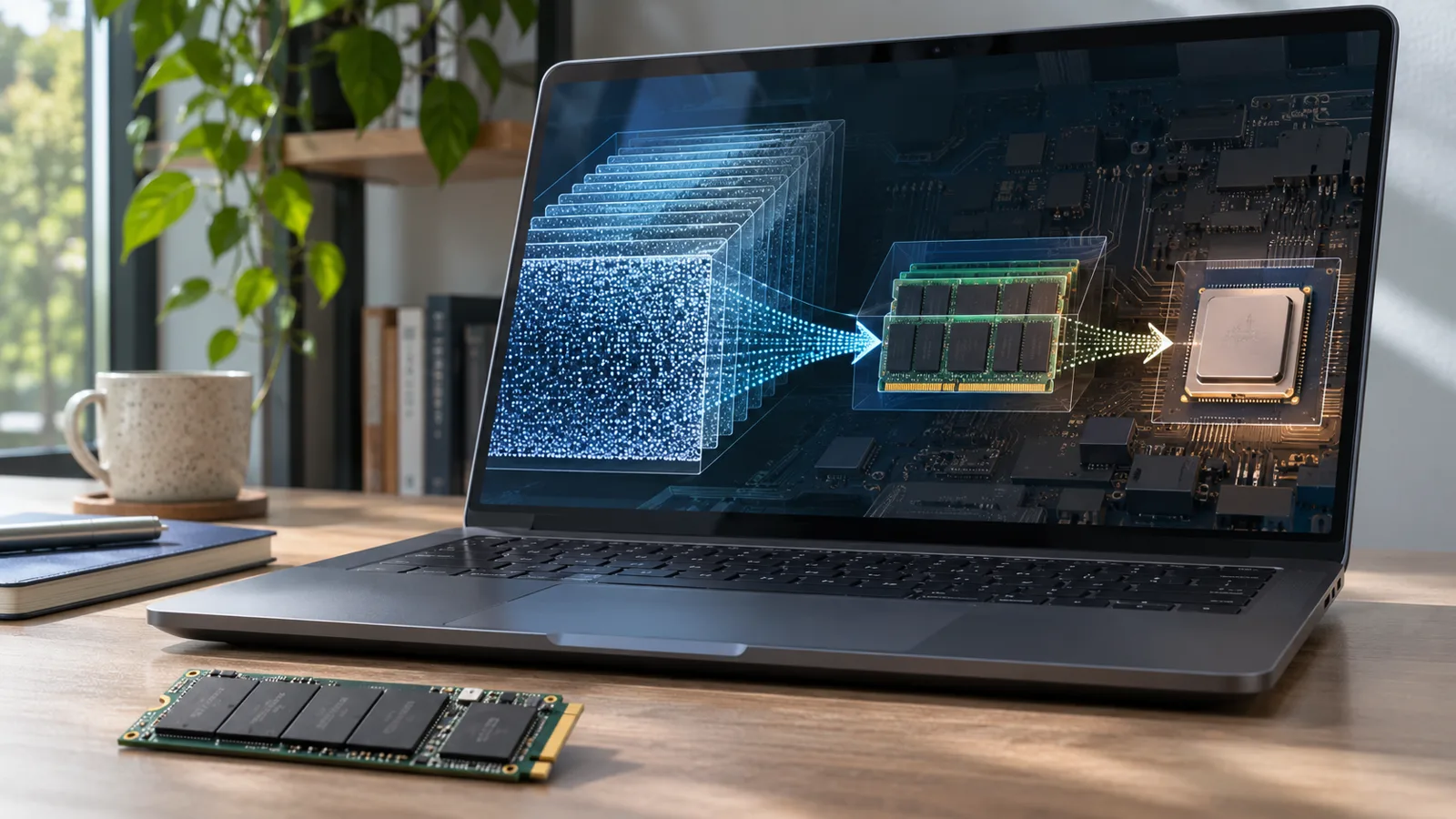
Yes. A computer can run a large language model whose weights are far larger than its available RAM, even without a discrete graphics card. The model's weights can remain on an SSD while inference software loads the portions needed for each step. But fitting a model into this storage arrangement does not make it fast.
The most striking example is GLM-5.2, a 744-billion-parameter mixture-of-experts AI model. The open-source Colibrì inference engine, developed by Vincenzo Fornaro, documented running it on a 12-core system with 25 GB of RAM, no discrete GPU, and NVMe storage. The original cold-generation speed was only 0.05 to 0.1 tokens per second, according to the project's benchmark record.
At that rate, generating 500 output tokens would take approximately 83 to 167 minutes, before accounting for prompt processing or other delays. Other configurations are substantially faster, but require different hardware, memory, cache states, or acceleration.
That distinction is the key to understanding local AI: a model can be executable without being practical for everyday use.
Parameter-count note: Colibrì describes the reference model in its demonstration as 744B; Z.ai’s current Hugging Face model listing reports 753B total parameters. This article uses 744B when describing the Colibrì configuration and attributes the performance figures to that specific setup.
| What matters | GLM-5.2 / original Colibrì demonstration |
|---|---|
| Model size | About 744 billion total parameters |
| Parameters active per generated token | About 40 billion, according to the project |
| RAM-resident dense model weights | About 9.9 GB |
| Peak process memory during chat | About 20 GB |
| Original model package | About 370 GB on disk |
| Colibrì quickstart-recommended grouped-int4 package | About 429 GB |
| Original system | 12 CPU cores, 25 GB RAM, NVMe via WSL2/VHDX |
| Original cold generation speed | 0.05-0.1 tokens/second |
| Discrete GPU required? | No, but acceleration can help dramatically |
Sources: Colibrì architecture and hardware catalog, original benchmark figures, and recommended GLM-5.2 model package. Numbers describe specific configurations, not universal requirements or performance guarantees.
Can a 744-Billion-Parameter AI Model Really Run Without a GPU?
Yes. In this case, the model is performing inference locally rather than forwarding the question to an online chatbot. The computer stores model weights on its drive, reads selected weights as they are needed, performs the model's calculations, and generates tokens. The operating system and software still need working RAM, but they do not need to hold the entire set of model weights in RAM simultaneously.
Colibrì, often rendered without the accent as Colibri, is licensed under Apache 2.0. It supports CPU inference and, on compatible hardware, acceleration using CUDA, Vulkan, or Metal. Its October 31, 2026 version 2.1.0 release also expanded native support for existing GGUF model files. This is a working inference project, not merely a video demonstration of one model.
The underlying GLM-5.2 weights published by Z.ai are available under the MIT license. That makes local use and modification possible subject to the applicable license terms. It does not mean model downloads, electricity, storage, or technical maintenance are free.
The important qualification is performance. The original demonstration proves that a machine with limited fast memory can produce output from an enormous model. It does not prove that it can deliver a normal conversational experience, match a data-center GPU server, or preserve every quality characteristic of the model's original high-precision weights.
How Can an AI Model Be Bigger Than Its RAM?
The answer involves two separate techniques: sparse model architecture and moving model weights between storage and memory. Quantization reduces how much data must be stored and moved.
Total parameters are not the same as active parameters
A parameter is a learned numerical value in a model. When a language model generates a token, it performs mathematical operations involving its weights. More parameters generally increase the model's potential capacity, but parameter count alone does not determine quality or speed.
GLM-5.2 uses a mixture-of-experts (MoE) architecture. Instead of sending every token through every specialist subnetwork, a router selects a subset of experts at each relevant layer. The Colibrì architecture description states that GLM-5.2 contains about 744 billion parameters in total while using approximately 40 billion for each token.
That does not mean there is one fixed 40-billion-parameter miniature model permanently loaded in memory. Different tokens and layers can select different experts. The machine must still have access to the larger expert pool over the course of a conversation.
A useful way to separate the figures is:
| Term | What it actually measures |
|---|---|
| Total parameters | The complete set of learned model weights, including experts that may not be selected for a particular token |
| Active parameters | The model weights participating in computation for a particular token, counting shared and selected components |
| Stored model size | How many bytes the packaged weights, metadata, scales, and other files occupy on disk |
| Resident memory | Model data and working structures currently held in RAM or GPU memory |
| Data read per token | Bytes fetched from storage while generating a token, which depends on expert selection and caching |
These numbers describe different things. A 744B model cannot be described accurately as a "10 GB model" merely because approximately 10 GB of dense weights remain resident in RAM.
The SSD becomes a slower tier of model memory
In Colibrì's original arrangement, the dense components stay in RAM. The many routed experts reside primarily on the NVMe drive. As the model processes a token, its router identifies experts needed at successive layers. The inference engine fetches those experts and uses a cache to avoid repeatedly reading frequently requested weights.
Conceptually, the path looks like this:
Question -> tokenizer -> resident dense layers and router -> selected experts from RAM cache or SSD -> model computation -> next token -> repeat.
On a machine with a compatible GPU, some dense computation and expert weights can instead live in VRAM. On a machine with more RAM, a larger fraction of the expert pool can remain cached. When all relevant weights are already in fast memory, far fewer storage reads are necessary.
The model is not being streamed like a movie. Video playback is largely sequential, and a buffer can absorb short delays. MoE inference involves data-dependent selections across many layers for every generated token. Missing a required expert can delay computation until the corresponding weights arrive.
Quantization is why the model file is measured in hundreds of gigabytes, not terabytes
Full 16-bit weights require two bytes per parameter. As an illustrative calculation, storing 744 billion parameters at 16 bits would require about 1.49 trillion bytes, or approximately 1.49 TB, just for the weight values.
At an ideal four bits per parameter, the same parameter count would require about 372 GB before scales, metadata, special tensors, or packaging overhead. Real formats do not always achieve that ideal ratio. Some components use more bits, and some formats use grouping metadata or auxiliary weights.
Quantization can also change model behavior. Its effects depend on the precision, how values are grouped, which tensors are compressed, and the task being tested. Compressing the weights and deciding where to store them are related engineering choices, but they are not the same thing.
How Much RAM and SSD Storage Do You Actually Need?
The current Colibrì quickstart lists roughly 16 GB RAM as a minimum and 24 GB or more as recommended for its GLM-5.2 workflow, with about 430 GB of free storage for the recommended int4 package. The original demonstration used 25 GB of RAM and an older 370 GB package.
The critical distinction is that 9.9 GB of resident dense weights was not the program's total memory consumption. The original benchmarks reported approximately 20 GB of peak resident process memory during chat. Inference also needs space for working buffers, expert caches, attention state, and the operating system.
| Available system RAM | Practical interpretation for GLM-5.2 |
|---|---|
| 8 GB | Below the project's published GLM-5.2 minimum; choose a substantially smaller model rather than assuming the 744B configuration will work |
| 16 GB | Near the project's minimum; feasibility depends on configuration and available free memory, with severe performance constraints likely |
| 24-32 GB | Sufficient for the documented low-memory approach, assuming suitable software and disk capacity; not a guarantee of conversational speed |
| 64 GB | More capacity to retain frequently used experts, potentially reducing SSD misses, but performance still depends on CPU and storage |
| 128 GB or more | Substantially better caching opportunities; measured CPU-only configurations have achieved much higher warm generation rates |
This is a hardware interpretation of the published requirements, not a set of tested speed guarantees for each RAM tier.
Storage matters just as much. A large model should generally live on a fast NVMe SSD, ideally with sufficient space for the full package and temporary files. A slow hard drive or a constrained drive mounted through a costly virtualization path can undermine an already bandwidth-intensive workload. On WSL, Colibrì's setup documentation recommends keeping model files on the Linux filesystem rather than under /mnt/c for performance.
Why do GLM-5.2 downloads range from 202 GB to 429 GB?
There is no single universal GLM-5.2 file size. The packages differ in precision, layout, auxiliary components, and intended inference backend.
| Model packaging example | Approximate published size | What the figure means |
|---|---|---|
| Early Colibrì int4 container | 370 GB | The original project's demonstration and benchmark package |
| Recommended grouped-int4 container with int8 MTP head | 429 GB | A later reference package using more granular quantization scales and an auxiliary prediction head |
| E8/IQ3 container | 289 GB | A more compressed alternative, with its own quality and speed measurements |
| UD-IQ1_S GGUF documented by Colibrì | 202 GB | A highly compressed GGUF configuration measured on Vulkan hardware |
The 429 GB model publisher reports that its 289 GB alternative had no measurable quality loss on three selected benchmarks, and improved speed in particular partially resident GPU configurations. That is limited comparative evidence, not a guarantee of identical performance on every question. The same publisher also reports cases where the more compressed format was slower after the model's experts were fully resident in memory.
Similarly, the 202 GB GGUF is not evidence that a 202 GB GLM-5.2 setup will produce usable output at the same speed on a 16 GB CPU-only laptop. Its published speed measurement used a Vulkan-enabled workstation with more RAM and SSD resources.
The smallest download is not automatically the fastest or best model. More aggressive compression can reduce storage traffic but may also increase decoding work or affect answer quality.
How Fast Is a 744B Model on a Laptop?
For practical use, tokens per second is more informative than total parameter count. A token is a unit of text used by the model, not necessarily a whole word. At 0.1 tokens per second, one output token arrives approximately every ten seconds. At 0.05 tokens per second, it arrives approximately every twenty seconds.
The project publishes measurements across different hardware and caching configurations. The table below converts the reported generation speeds into the time needed to generate an illustrative 100-token or 500-token output.
| Reported GLM-5.2 configuration | Generation rate | 100 output tokens | 500 output tokens |
|---|---|---|---|
| Original 25 GB RAM, CPU-only, cold experts | 0.05-0.1 tokens/s | 16m 40s-33m 20s | 1h 23m-2h 47m |
| Ryzen AI Max+ 395, 128 GB, CPU-only, warm | 1.83 tokens/s | ~55 seconds | ~4m 33s |
| Six RTX 5090 GPUs, experts resident, optimized NUMA configuration | 9.0-9.2 tokens/s | ~11 seconds | ~54-56 seconds |
Reported speeds: Colibrì README and performance summary and detailed benchmark records. Response durations are sherafy.com calculations using output tokens divided by reported generation speed. These are different machines, cache states, and optimizations, not controlled same-hardware comparisons. The table excludes model startup, prompt processing, and other delays.
The original system also reported a roughly 30-second load time. It would be misleading to add 30 seconds to every request, however, because a model can remain loaded between requests. Likewise, the faster warm results cannot be projected backward onto the original cold-cache laptop.
Why the real waiting time may be longer
Language-model inference has at least two important phases:
- Prefill: The model reads and processes the input prompt and any conversation history.
- Decode: The model generates output tokens, typically one step after another.
A benchmark that reports only decode speed does not tell you how long it takes to process a 50,000-token document or when the first answer token appears. Reasoning-enabled models can also generate internal reasoning tokens before delivering the concise text a user sees. Those tokens consume time and computational resources even when not displayed as the final answer.
For meaningful comparisons, ask for time to first token, input/prefill speed, output/decode speed, total wall-clock time, cache state, and model precision. The project's own benchmarking protocol emphasizes these details because storage and cache measurements are easy to misinterpret.
Calculate the waiting time yourself
The simplest estimate is:
Output generation time (seconds) = generated output tokens / measured tokens per second
For example, at 0.1 tokens per second:
- 100 generated tokens take about 16 minutes 40 seconds.
- 500 generated tokens take about 1 hour 23 minutes 20 seconds.
- 1,000 generated tokens take about 2 hours 46 minutes 40 seconds.
At 10 tokens per second, by contrast, those same outputs take about 10, 50, and 100 seconds. The formula estimates generation time only; it is not a promise of the total time needed to answer a real prompt.
Why Is SSD-Backed AI So Much Slower Than GPU Inference?
The core limitation is moving the right weights to the processor at the right moment.
In the original Colibrì benchmark, a cold decode step could require approximately 11 GB of SSD reads for one token, across 75 layers and eight selected routed experts per layer. The project described the effective storage throughput of the test environment as around 1 GB per second.
As a rough thought experiment, reading 11 GB through a sustained 1 GB/s path consumes about 11 seconds of data-transfer time. That simple division is neither a complete latency model nor a substitute for the measured throughput. Reads may overlap with computation, some experts may already be cached, and I/O patterns and runtime overhead affect the result. But it immediately explains why subsecond response times cannot be assumed from a demonstration that depends heavily on cold SSD reads.
An SSD has much greater storage capacity per dollar than high-end GPU memory, but its latency and bandwidth characteristics differ from RAM and VRAM. The model's router must select experts, the engine must fetch missing weight blocks, and the CPU or GPU must execute the operations. A faster SSD improves one part of that process; it cannot remove every bottleneck.
Cold experts, warm experts, and the cache effect
If a requested expert is already in RAM or VRAM, the engine can avoid reading it again from storage. A cache hit saves I/O, while a cache miss triggers additional data movement.
This is why a model may become much faster after repeated work with similar prompts: frequently selected experts can stay resident. The improvement is not guaranteed to transfer to a completely different task, and a large RAM cache does not help indefinitely if computation or memory bandwidth becomes the limiting factor.
Colibrì can also use prefetching, multiple drives, and speculative decoding. These features are not universally beneficial. For instance, attempting to draft several tokens in advance can make a streaming model slower if verifying the drafts requires loading too many different experts at once. The tuning documentation describes this trade-off.
Does constant model streaming wear out an SSD?
The main disk activity in the original expert-streaming design is reading model weights, not rewriting them. SSD flash endurance is primarily affected by writes. Colibrì's benchmark notes identify more immediate concerns as excessive swap writes when RAM is exhausted and high temperatures under sustained storage activity.
That does not make the workload free of hardware consequences. Drives consume electricity, can throttle when hot, and may slow under sustained demanding access patterns. Avoid forcing the operating system into heavy swapping simply to make an oversized model launch.
Does This Mean NVIDIA GPUs Are No Longer Necessary?
A GPU is not strictly necessary to execute every large language model, but specialized accelerators remain extremely important for fast inference.
The laptop demonstration removed a minimum hardware requirement: all model weights no longer had to fit in GPU memory or even RAM. It did not eliminate the physical costs of memory access, arithmetic, or repeated data movement.
On supported systems, Colibrì itself uses GPUs precisely because they are useful. Its release documentation describes CUDA, Vulkan, and other acceleration paths. The high-end GLM-5.2 benchmark with six RTX 5090 GPUs is not a consumer-laptop result. It illustrates how much the answer can change when far more memory and compute are available.
Nor is a discrete GPU the only alternative. Apple Silicon and some other systems use shared or unified memory accessible to both CPU and integrated GPU hardware. That architecture can reduce certain transfers and enable different memory-placement choices, but its speed still depends on the chip, bandwidth, amount of memory, model representation, and inference engine.
What the experiment weakens is the claim that large-model inference is categorically impossible without expensive GPU hardware. It does not support the stronger claim that a disk-backed CPU laptop delivers equivalent service.
Does Running a Quantized 744B Model Preserve Its Full Intelligence?
Not necessarily. There are two distinct questions:
- Implementation correctness: Given the same quantized model, does the inference engine compute the intended operations and reproduce the reference implementation under controlled tests?
- Model-quality retention: How closely does that quantized model perform compared with the original, higher-precision weights on difficult real-world tasks?
An engine can pass token-level correctness checks against a reference using the same quantized weights while the quantization itself still changes some answers compared with the original model.
This is not just theoretical. The grouped-int4 GLM-5.2 package documentation reports a comparison in which grouped scaling outperformed an older per-row int4 approach on a HellaSwag sample. The publisher also documents cases of looping or faulty stopping behavior with older formats and engine combinations. The reported quality results are informative, but sample sizes and selected tasks limit how broadly they can be generalized.
Very small tests can confirm that a model loads and generates coherent text. They cannot establish that every reasoning, coding, factual, multilingual, or long-context capability matches the full-precision release.
A fair evaluation should identify the exact model checkpoint, quantization, engine version, prompt template, reasoning settings, benchmark sample, and measured outcome. Neither total parameter count nor successful installation replaces that evidence.
Is Running a Large AI Model Locally Cheaper Than Using a Cloud API?
Sometimes, but not simply because the software charges no tokens. The economics depend on the model, request volume, machine cost, energy consumption, performance requirements, and whether keeping data local is itself valuable.
The distinction is easy to quantify using the same GLM-5.2 model family. As checked November 3, 2026, Z.ai lists GLM-5.2 API pricing at $1.40 per million uncached input tokens and $4.40 per million output tokens, excluding separately priced services.
For a request containing 1,000 input tokens and generating 500 output tokens:
Input: 1,000 / 1,000,000 x $1.40 = $0.0014
Output: 500 / 1,000,000 x $4.40 = $0.0022
Total hosted token charge = $0.0036
That is 0.36 cents for the example request. At the original laptop's cold generation rate, producing the same 500 output tokens would take roughly 83 to 167 minutes of output generation alone.
| Example workload | Hosted GLM-5.2 list-price token charge | 1,000 such hosted requests |
|---|---|---|
| 1,000 input + 500 output tokens | $0.0036 | $3.60 |
| 10,000 input + 2,000 output tokens | $0.0228 | $22.80 |
| 50,000 input + 3,000 output tokens | $0.0832 | $83.20 |
Sherafy.com calculations using Z.ai's published GLM-5.2 rates, assuming uncached input and no additional tool, storage, or service charges. Price and provider terms can change.
Consider a hypothetical $500 hardware expense made solely to avoid the $0.0036 API charge. Ignoring electricity, storage, maintenance, financing, and time, recovering that expense would require about 139,000 comparable requests. This is an illustration of break-even arithmetic, not a claim that a $500 computer can run GLM-5.2 effectively or that these requests are interchangeable in quality and service.
The economic equation changes if you already own capable hardware, have continuous high-volume demand, require a private environment, cannot rely on connectivity, or would otherwise pay for an expensive hosted model. It also changes if your tasks are better served by a smaller local model whose weights fit comfortably in memory.
Privacy is a benefit, not an automatic guarantee
Inference on a local computer can keep prompts and model processing off a third-party AI server. That can be valuable for sensitive documents, private code, and environments without reliable internet access.
For a separate look at an offline knowledge server designed for unreliable connectivity, see Project NOMAD.
But local inference is not a security certification. Software installation and model downloads normally require network access. A chat application may still call remote search tools, analytics endpoints, or external services. Exposing a local API beyond 127.0.0.1 introduces further risks. The Colibrì API documentation specifically discusses authentication when exposing the service beyond the local machine.
Past Colibrì security advisories also illustrate why untrusted model files and outdated native loaders deserve scrutiny. Use supported, updated releases and trusted model sources. Offline inference provides more control over data flow; the complete workflow must still be configured and verified accordingly.
Should You Run a Huge Model Slowly or a Smaller Model Quickly?
For many everyday tasks, a smaller local model is the more useful choice. Models that fit in RAM or VRAM avoid repeatedly retrieving enormous amounts of expert data from storage and can respond far more quickly. But smaller does not automatically mean more accurate, so the right decision depends on the task.
The difference is visible in Colibrì's own model catalog. In a documented same-machine test on an Intel i5-13500 system with 62 GB RAM and an RTX PRO 4000 Blackwell SFF, the much smaller Qwen3.6-35B-A3B GGUF generated about 13.9 tokens per second on CPU and 104.8 on CUDA. Those are not GLM-5.2 quality comparisons, and they cannot be treated as a same-hardware speedup over the original 25 GB demonstration. They demonstrate why appropriately sized models can deliver a very different user experience.
| Your goal | More practical starting point | Why |
|---|---|---|
| Everyday chat, summarization, and local writing | A smaller model that fits in available RAM or VRAM | Fast responses and lower storage demands usually matter more than headline parameter count |
| Private documents or offline assistance | A locally hosted model with verified offline settings | Control over data handling and availability are central benefits |
| Coding and agent workflows | Benchmark several candidate models on the actual tasks | Tool support, latency, context handling, and reliability can outweigh raw size |
| Exploring a frontier-scale open-weight model on modest hardware | Disk-backed inference such as Colibrì | Useful for experimentation and access to otherwise infeasible model sizes |
| Occasional requests to an enormous model | Hosted API or remote inference | Avoids a large local checkpoint and long waits when use is infrequent |
| Sustained high-volume local inference | Properly provisioned RAM, GPU, storage, and serving stack | Throughput, concurrency, service reliability, and cost per successful task dominate |
The best comparison is not simply 744B versus 35B. It is quality on your workload, end-to-end response time, total cost, and whether the application meets your privacy and reliability requirements.
A practical hardware checklist
Before downloading a huge model, confirm:
- The exact checkpoint and quantization. A benchmark for one package does not automatically apply to another.
- Free RAM after the operating system is running. Advertised installed RAM is not all available to the model.
- Actual SSD capacity and access speed. Confirm free space and the drive path the engine will use, not just its advertised sequential read speed.
- CPU and GPU support. Check whether your exact hardware and operating system have a tested backend.
- Intended context length. Long prompts and persistent conversation state consume memory and time; a model's advertised maximum context is not a low-RAM performance guarantee.
- Your minimum acceptable speed. Decide whether you can tolerate seconds, minutes, or much longer waits per response.
- Quality and security. Check quantization evaluations, project releases, trusted downloads, and network exposure.
Colibrì's setup tools can help identify compatible models, but real performance still needs to be measured on the target machine.
How Do You Install Colibrì and Run AI Offline?
Use the project's official quickstart and current releases, not commands copied from an older video. Supported setup routes include Windows, Linux, and macOS, with hardware-dependent backend options.
On Linux or macOS, the documented starting point is:
- Clone the repository:
git clone https://github.com/JustVugg/colibri.git - Enter its directory:
cd colibri - Run setup:
./start-here.sh
On Windows, the project documents START-HERE.bat and prebuilt release archives. The setup checks hardware and offers model choices rather than requiring every user to download the largest checkpoint.
The correct command family is coli, not kali. The documentation includes coli chat for local conversation, coli serve for HTTP serving, and coli ui for the chat interface. Depending on the installation and platform, the command may be launched from the project directory or through a platform-specific wrapper.
For disk-bound systems, Colibrì’s current quickstart also suggests testing the --topp 0.85 option, which the project says can reduce expert data read per token without reducing quality. Treat that as a project-reported optimization and verify it with your own prompts and engine version.
For applications, Colibrì exposes a local OpenAI-compatible API with endpoints such as http://127.0.0.1:8000/v1/chat/completions. Compatibility is not identical to every feature of the hosted OpenAI API, and available behavior depends on the engine and model. The API reference lists supported features and the recommended security settings.
A local endpoint removes the need to send inference requests to a third-party model provider when the application is configured to use it. It does not make every external tool, network integration, or application feature offline.
Is SSD-Backed AI Inference a New Breakthrough?
The underlying idea is older than Colibrì. The meaningful progress is in making disk-backed inference more capable, accessible, and efficient, especially for large mixture-of-experts models.
- 2023: The peer-reviewed FlexGen research studied inference across GPU, CPU, and disk storage, using optimization and compression to increase throughput under memory constraints.
- 2024: Apple's LLM in a Flash paper demonstrated methods for running models larger than available DRAM by selectively fetching weights from flash storage and improving the access pattern.
- 2026: Colibrì made extremely large MoE inference accessible on constrained systems and expanded to multiple engines and model formats. The October 31 v2.1.0 release supports imported GGUF files directly across its supported backends.
- September 2026: The SSD-LLaMA preprint reported more than one token per second for a trillion-parameter MoE model using up to 32 GB RAM and a single RTX 5090. This is an author-reported research result, not evidence that an ordinary CPU-only laptop achieves that speed.
These results concern different models and experimental setups. Their common lesson is that fast memory capacity need not impose an absolute limit on model size, provided the inference system can retrieve and process weights on demand. The remaining challenge is doing that with acceptable latency, energy use, hardware costs, and model quality.
Frequently Asked Questions
Can a 16 GB RAM laptop run a 744B AI model?
Colibrì lists approximately 16 GB RAM as its GLM-5.2 minimum, but that is a lower bound for a highly constrained setup, not a promise of useful chat speed. The original measured demonstration had 25 GB RAM and generated only 0.05-0.1 tokens per second when cold. Free disk space, a fast NVMe drive, runtime settings, and operating-system memory consumption also matter.
Do you need an NVIDIA graphics card to run GLM-5.2 locally?
No. Colibrì documents CPU-only inference. Compatible GPUs can make some operations much faster, and the specific backend determines which acceleration features are available. No GPU requirement and no GPU benefit are very different claims.
Is the entire 744B model loaded into 10 GB of RAM?
No. Roughly 9.9 GB describes the resident dense weights in the original Colibrì configuration. The complete quantized model remains on storage, while selected experts are loaded as needed. The original process used approximately 20 GB of peak resident memory.
Can a local AI model run with no internet connection?
Yes, if the inference engine and every required model file are already installed locally and the application does not require remote services. Optional search, plugins, telemetry, or external tools can still create network traffic unless disabled or otherwise controlled.
What is GGUF, and why does it matter?
GGUF is a model file format commonly used in local inference. It can package quantized weights and model metadata in a way supported by compatible runtimes. Colibrì 2.1.0 added native GGUF import across its engines, reducing the need to convert supported existing files into another weight format. A smaller GGUF does not automatically preserve all full-precision model behavior.
Is a 744B model always better than a 30B model?
No. Total size is not a reliable standalone ranking of answer quality. Architecture, training, specialization, quantization, context, reasoning settings, and the task all matter. A smaller model that performs the needed task well and responds quickly may be much more useful.
Does running an AI model from an SSD damage the drive?
Repeated weight reads are not the primary cause of flash wear. More relevant risks include excessive swap writes under memory pressure, sustained temperature, and degraded performance if the drive throttles. Monitor SSD health and avoid forcing the system into heavy swapping.
Does a local AI endpoint eliminate API costs?
It can eliminate per-token charges to an external inference provider for requests actually processed locally. It does not eliminate hardware, energy, storage, administration, or opportunity costs, and it does not guarantee that every external service used by an application becomes free.
The Bottom Line
Running a 744-billion-parameter model on a low-memory computer is a real engineering achievement. Colibrì shows that the full model does not need to reside in RAM or VRAM to generate answers. Quantization, expert routing, caching, and disk-backed loading can make previously impractical model sizes executable on more ordinary hardware.
But executing a model and serving a useful answer are different achievements. On the original constrained system, a modest response could take well over an hour. More memory, smarter caching, different compression, and GPU acceleration change that equation, sometimes dramatically.
The practical question is not whether your computer can load an enormous AI model. It is whether the answer will arrive in time, at sufficient quality, for a cost that makes sense.
References and Further Reading
Original Software, Model, and Measurements
- Colibrì: Official Repository and Technical Overview – Vincenzo Fornaro and contributors. Primary source for architecture, model catalog, benchmark summary, supported backends, and software licensing.
- Colibrì: Benchmarks and Measured Numbers – Original 25 GB demonstration, disk-read volume, cold speed, and subsequent community measurements.
- Colibrì: Benchmarking Protocol – How to interpret cache state, storage bandwidth, model quantization, and reproducible performance results.
- Colibrì v2.1.0 Release Notes – October 31, 2026 release documenting GGUF support and newer acceleration features.
- Z.ai GLM-5.2 Official Model Card – Published model weights, model provenance, and MIT license.
Model Packages, Installation, and Security
- GLM-5.2 Grouped-Int4 Container and Quality Notes – Approximate 429 GB model repository, quantization choices, comparative quality results, and requirements.
- GLM-5.2 E8/IQ3 Quantized Container – Approximate 289 GB alternative, with format-specific performance and quality qualifications.
- Colibrì GGUF Documentation – Supported architectures, imported GGUF operation, and the documented 202 GB GLM-5.2 example.
- Colibrì Official Quickstart – Current setup instructions, RAM and disk guidance, and platform support.
- Colibrì Local API Documentation – HTTP endpoints, model-dependent API compatibility, authentication, and serving behavior.
- Colibrì Security Advisories – Published vulnerability disclosures relevant to using updated loaders and trusted model files.
- Z.ai Model and Tool Pricing – First-party GLM-5.2 input and output token prices used in the original calculations.
Research and Technical Background
- FlexGen: High-Throughput Generative Inference of Large Language Models with a Single GPU – Sheng and colleagues, ICML 2023. Peer-reviewed research on using GPU, CPU, and disk memory together for limited-resource inference.
- LLM in a Flash: Efficient Large Language Model Inference with Limited Memory – Alizadeh and colleagues, ACL 2024. Peer-reviewed work on retrieving model weights from flash when DRAM capacity is limited.
- SSD-LLaMA: SSD-Native Inference for Trillion-Parameter MoE at 1+ Token/s on a Consumer PC – Liang and colleagues, September 2026. Research preprint describing SSD-native MoE inference with CPU-GPU hybrid execution; reported results require their stated hardware context.
Editorial currency note: This article reflects software documentation, model listings and listed API prices checked November 3, 2026. Model files, licenses, features, security status, and API pricing may change. Hardware throughput figures are attributed measurements rather than independently reproduced sherafy.com tests. Calculated waiting times assume a constant stated generation rate and exclude prompt processing and startup.